Unreasonable things I ask AI to do
Getting a museum audio tour out of a region-locked Android app, mapping Xfinity upgrades around my house, and looking for a fiber cable at nearby stores. A few things I have been asking AI agents to do from my phone.
I have been getting increasingly unreasonable with the things I ask AI agents to do. If something annoys me while I’m out, I’ll send a message from my phone and see whether an agent can deal with it. Occasionally, a simple request turns into an Android reverse-engineering project. Fortunately, I’m not the one doing it.
I’ve been using both Instinct, an AI agent I’m testing, and a local GLM 5.3 Flash model through my Paseo setup. Here are a few recent examples.
Getting an audio tour out of an app I couldn’t download
I’m in Bangalore for work, and during the weekend I visited the HAL Aerospace Museum. There were signs on the walls inviting visitors to download the museum’s app and listen to an audio tour. Great, except they only published the app on the Indian Google Play Store. My account is set to the USA, so I couldn’t download it.
I told Instinct to find the APK online, unpack it, locate the tour audio files, and send them to me.
The audio wasn’t sitting in a folder full of MP3s. The app was built in Unity, with Vorbis audio inside FMOD FSB5 sound banks, themselves stored in Play Store .split chunks. Getting something my phone could play required a few steps:
- Find and download a copy of the app. The download was a 201 MB XAPK package from APKCombo.
- Unpack the package and reassemble the split chunks containing the sound banks.
- Decode the banks using the FMOD engine bundled with the app itself, running headless with
NOSOUNDoutput. - Write the decoded audio to WAV files and convert it to MP3 for playback on my phone.
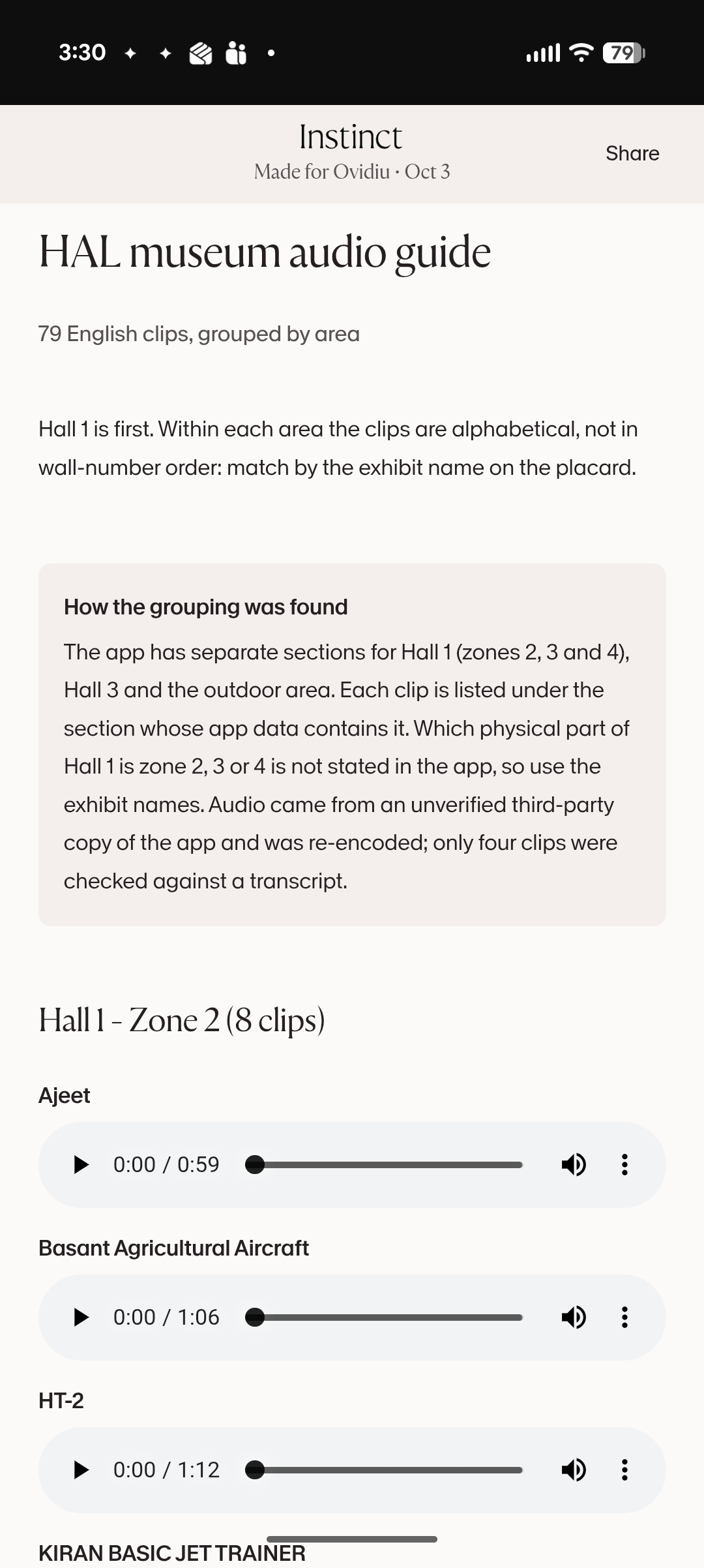
Instinct recovered the museum’s area and theme groupings from the app’s data and published a web page with 79 English clips, about 83 minutes of narration. I could find an exhibit and play its audio directly in my phone’s browser while walking around the museum.
Checking whether my neighbors have better internet
I recently moved to a house where the only available internet service provider is Xfinity. Boo! I have the mid-split upgrade, which gives me 2 Gbps down and 300 Mbps up. I’m waiting for the full-duplex (FDX) upgrade so I can get symmetric 2 Gbps down and 2 Gbps up through Xfinity’s X-Class service.
Of course, knowing that an upgrade is rolling out somewhere in the city doesn’t tell me when my house will get it. So I asked my agent to open a browser, go to Xfinity’s website, and check the available speeds at a few addresses around me. Then I asked it to make a map.
It plotted the addresses where X-Class was available and the ones still on mid-split, with my house marked for comparison. Symmetric service was already available in pockets a few blocks away. My block was still waiting. Close enough to be annoying.
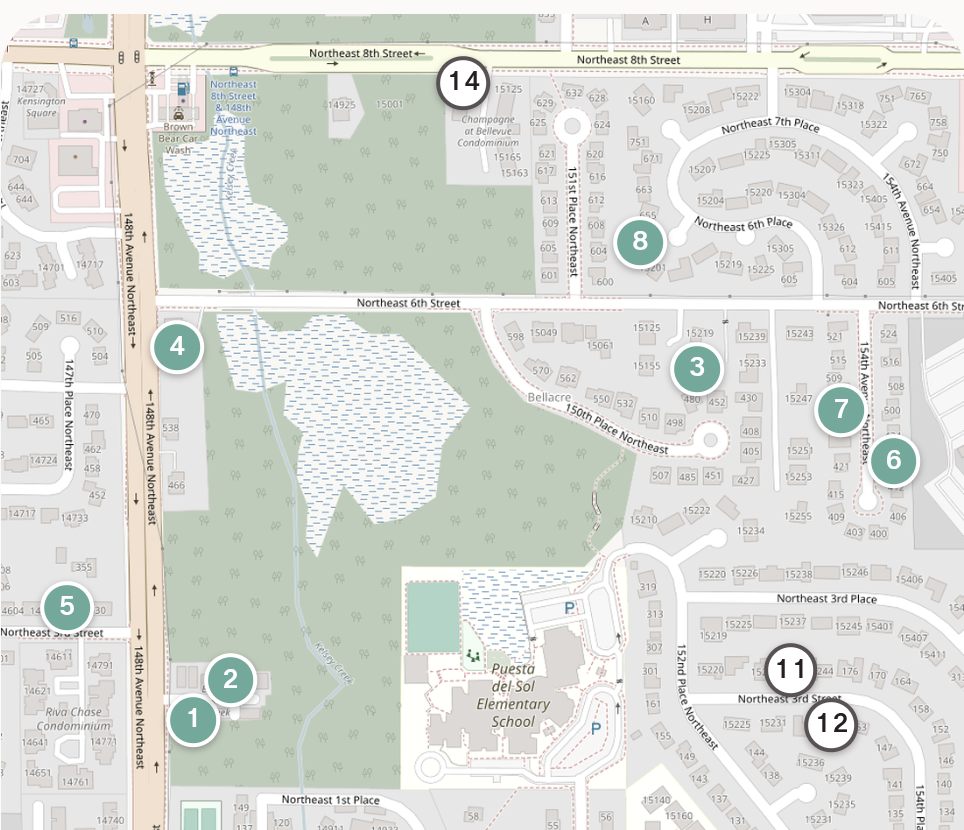
Teal markers have X-Class; outlined markers are still on mid-split.
These were checks at individual addresses, not proof that every house on a street had been upgraded. The map included the check dates so I could tell how old the results were. The agent now proactively tracks the rollout over time, rechecks nearby addresses, and sends me updates without me having to ask again.
I’m effectively asking an AI to keep refreshing an ISP’s availability checker on my behalf. I would get bored of doing that very quickly.
Finding a fiber cable nearby
I needed a fiber optic cable urgently and wanted to find one in stock nearby. The agent used Maps to find electronics stores, then browsed their websites looking for the right cable and stock information. It asked whether I needed single-mode or multimode, and what length. Single-mode, any length it could find.
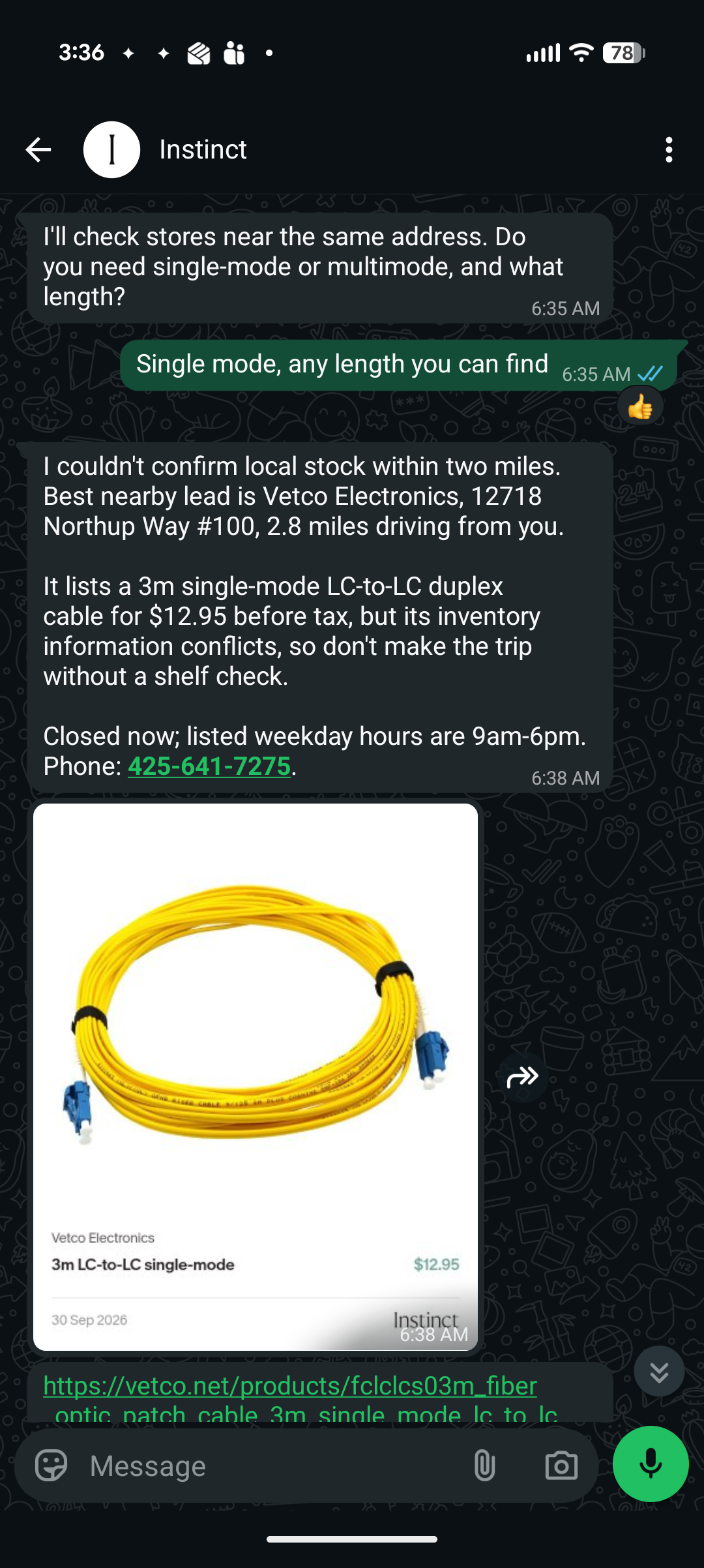
This is fairly ordinary computer use: look at a map, open a store’s website, find the product, check whether the details match. An agent with access to a browser can do those steps much like I would. In this case it found a useful lead, although it couldn’t promise there was a cable waiting on the shelf.
Getting the results back to my phone
Both Instinct and my local GLM 5.3 Flash + Paseo setup worked fine for these kinds of requests. Instinct had the upper hand in integration: it could publish HTML pages directly to files.instinct.com and send me a link. My local setup had to upload files to free hosting services to get them onto my phone.
That difference mattered at the museum. Once the audio was extracted, I still needed a convenient way to listen to it while walking around. A web page with a play button next to each exhibit did the job.